Hits and coordinates
The controller reports a physical point on the target surface. The SDK converts it to coordinates suitable for your scene.
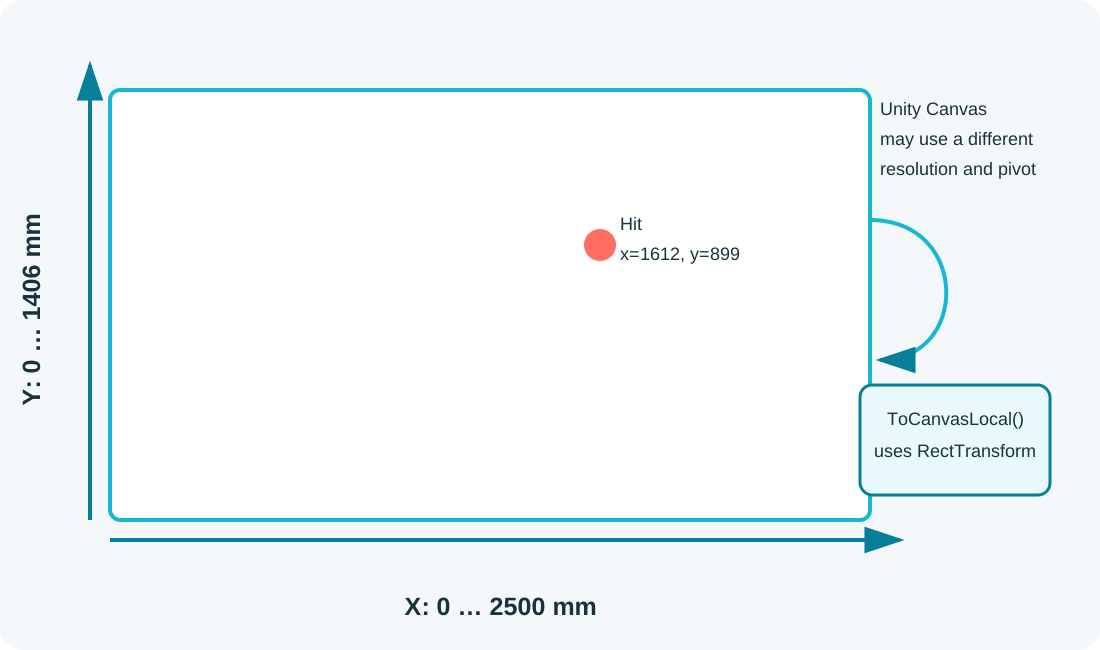
The VORIVOX coordinate origin is the bottom-left corner.
VorivoxHit fields
| Field | Description |
|---|---|
ShotId | Unique shot identifier within the session. |
XMm, YMm | Physical coordinates in millimeters. |
NormalizedX, NormalizedY | Values from 0 to 1, with origin at bottom-left. |
Source | controller, mock, or diagnostic source. |
Canvas UI
private void OnHit(VorivoxHit hit)
{
    Vector2 localPoint = hit.ToCanvasLocal(playfield);
    impactMarker.anchoredPosition = localPoint;
}
3D scene
For a rail shooter, use normalized coordinates as a camera viewport point:
Vector3 viewport = new(hit.NormalizedX, hit.NormalizedY, 0f);
Ray ray = gameplayCamera.ViewportPointToRay(viewport);

if (Physics.Raycast(ray, out RaycastHit info, 200f, hitMask))
{
    info.collider.GetComponent<IDamageable>()?.ApplyHit(info.point);
}
Letterboxing and active area
If the projector displays black bars, map hits to the actual active gameplay area. Do not calculate coordinates from Screen.width manually; use the playfield RectTransform or the SDK conversion helper.